Finance
Invoices & Expenses
Send it, chase it, get paid — and know what it cost you.
Opens in seconds on a private copy with sample data. Anything you build can be moved into your own account later.
What's inside
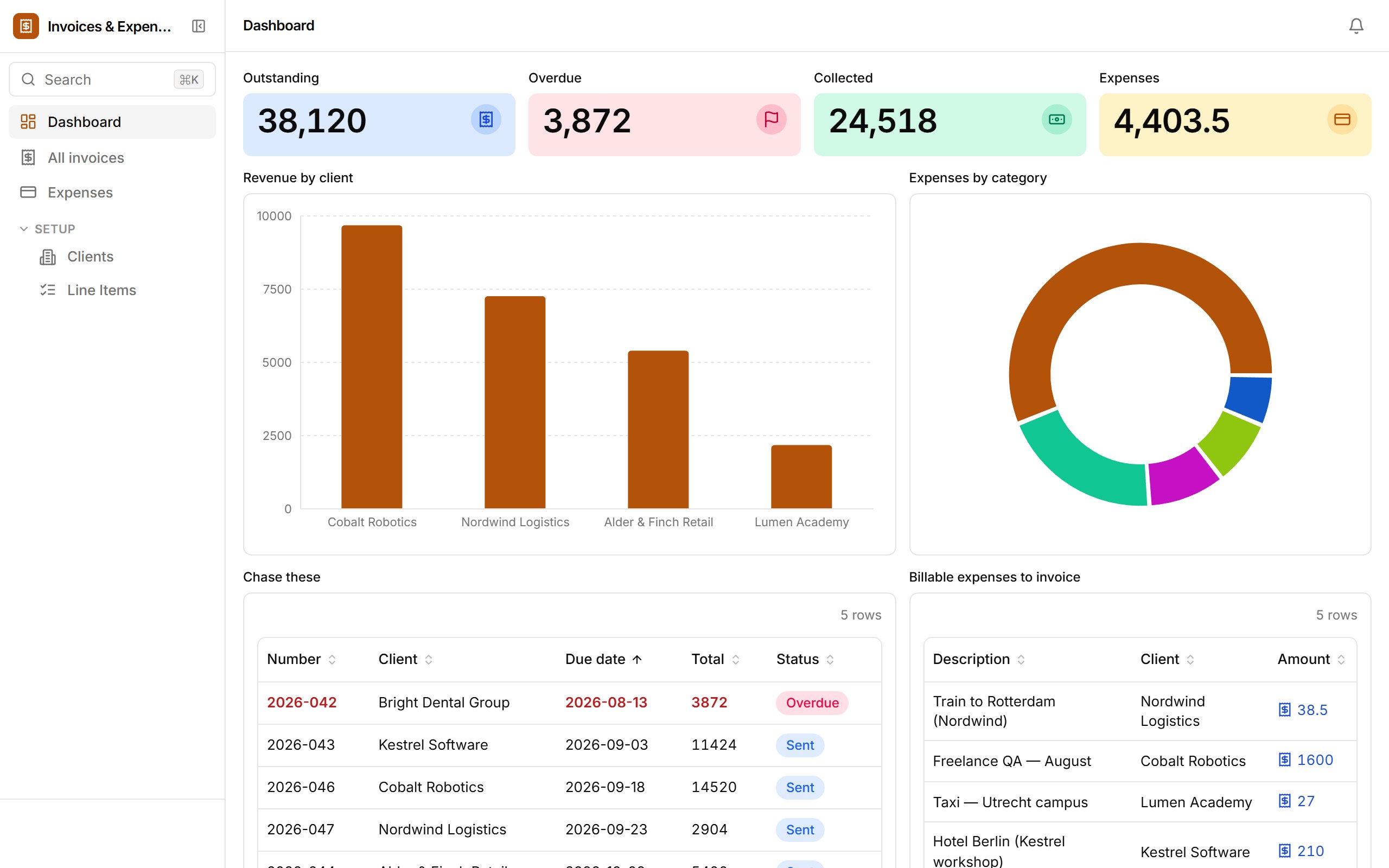
Invoices with line items and payment terms per client, expenses by category with billable flags, and a dashboard of what's outstanding, overdue and collected. Marking an invoice Sent emails the client; a nightly workflow flips anything past due to Overdue.
- Outstanding / overdue / collected tiles and revenue by client
- Mark sent, Mark paid and Void actions, inline on the invoice list
- Line items editable on the invoice record
- Billable expenses to invoice, with receipt photos
- Nightly overdue-flagging workflow and client emails
Who it's for
Freelancers and small agencies who want invoicing that lives next to their project data.
How templates work
- 1. It's a real app. Opening a template provisions a fresh database for it and loads sample rows — the same path Ember uses when it drafts an app from a prompt.
- 2. Change anything. Add fields, drop blocks onto views, rewrite the workflows, set roles. The sample data is yours to edit or replace with a CSV import.
- 3. Keep it.From the sandbox, “Keep this app” sends you a link that moves the app — data, versions and all — into your own workspace once you sign up. Signed-in builders copy templates straight into their workspace.